music-production-recall · Last checked 2026-10-30
Vocal Chain Recall: 5 Things to Save Before You Close the Session
Six weeks after the mix, the label wants a vocal change. Save these five notes now so you and your AI know what is on the bus and what you removed.
Quick answer
- Save five things: tracking chain, current vocal bus, removed settings, sibilance control and parallel bus
- Note which mix version each setting belongs to
- Removed settings matter most, because they stop old fixes from coming back

The call comes six weeks after the mix. The label wants a vocal up and a brighter chorus, so you open the session and the vocal bus does not sound like the one you remember.
Was that the rough mix chain or the one you rebuilt for the master? You cannot tell, and your AI cannot either. It will happily suggest a setting you deleted two months ago.
The fix is a short recall sheet. Five lines, written once, updated whenever the chain changes.

The five things to save
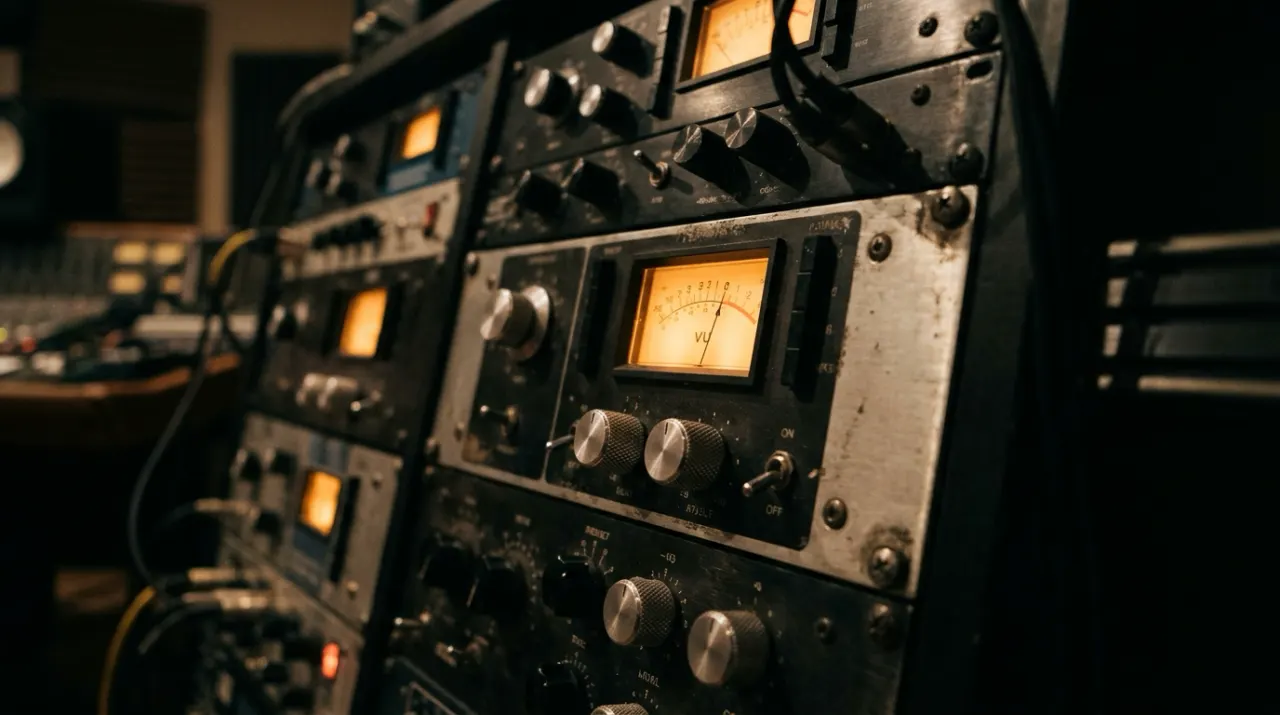
- Tracking chain. Mic, preamp and compressors in order, with gain numbers. Ours was a U67 into a Neve 1073 at +45 dB, then a 1176 and an LA-2A.
- Current vocal bus. Every plugin, its settings, and the mix version it belongs to.
- What you removed, and why. The rough mix had a +2.5 dB shelf at 10.5 kHz. It made the esses harsh, so it is gone. Writing that down stops you from putting it back.
- Sibilance control. A dynamic cut of about 3.2 dB near 7.4 kHz, triggered around -24 dBFS, is what tamed the esses on this track.
- Parallel crush. An all-buttons 1176 band-limited between 220 Hz and 9.5 kHz, blended quietly under the lead.
Why line three matters most
Most recall sheets only list what is switched on. The time saver is the list of what is switched off, because a removed setting looks like a good idea every time someone hears the vocal sounding dull.
Your AI has the same problem. Give it a rough mix note and a master note in one chat, and it treats both as current.
You ask: The v3 vocal sounds harsh. What should I change?
AI reading your rough mix notes: Add a 2.5 dB high shelf at 10.5 kHz on the vocal bus to open it up.
AI reading your current sheet: That shelf was in the rough mix and you removed it because it made the esses harsh. v3 uses a dynamic cut near 7.4 kHz and a small lift at 12 kHz. Try deepening the cut first.
Using it with your AI
Paste the sheet at the start of any mixing chat, or keep it in a Knot project so each tool you use reads the same version. Either way, update it the day the chain changes, not the day you need it.
Example recall sheet you can copy
| Stage | Setting | Mix version |
|---|---|---|
| Tracking | U67 into Neve 1073 at +45 dB | All versions |
| Leveling | 1176, then LA-2A | v3 |
| Sibilance | Dynamic cut about 3.2 dB near 7.4 kHz | v3 |
| Top end | Small Pultec style lift near 12 kHz | v3 |
| Parallel | 1176 all-buttons, 220 Hz to 9.5 kHz, blended under the lead | v3 |
| Removed | +2.5 dB shelf at 10.5 kHz | Cut after v1, made esses harsh |
The 4 rules in the starter checklist
- Master Stem v3: Dynamic Sibilance Notch & Pultec 12 kHz Taper. Master Stem v3 vocal EQ: removed the Mix v1 +2.5 dB 10.5 kHz static shelf (it made the esses harsh once the master bus limiter pushed the mix to about -8.5 LUFS). Replaced with a dynamic bell cut of about 3.2 dB at 7.4 kHz (split-band de-ess, threshold around -24 dBFS) plus a gentle Pultec EQP-1A style boost at 12 kHz (boost knob around 1, bandwidth around 6). Example settings.
- Tracking Front-End Chain: U67 -> Neve 1073 -> Serial 1176 / LA-2A. Lead vocal tracking chain: Neumann U67 (cardioid, no pad, 8 inches off capsule with metal pop screen at 3 inches) -> Neve 1073 preamp (+45 dB gain, 80 Hz HPF engaged, output trim -3 dB) -> 1176LN Rev E (4:1 ratio, attack 3, release 7, catching -2 to -3 dB on peaks only) -> Teletronix LA-2A (peak reduction 34, gain 42, -3 to -5 dB slow leveling, converter peak target -10 dBFS).
- Parallel Vocal Exciter Bus: All-Buttons 1176 Blend Ceiling. Send lead vocal pre-fader at 0 dB to Parallel Crush Bus (1176 Blue Stripe, all-buttons-in ratio, attack slowest 1, release fastest 7, HPF at 220 Hz, LPF at 9.5 kHz); blend fader must stay at -16.5 dBFS (-14.5 dBFS in chorus automation) to preserve natural consonant intelligibility.
- Archival & Mastering Stem Delivery Standard (24-bit / 48 kHz). Print all final mix stems at 24-bit / 48 kHz WAV with master-bus limiters bypassed, leaving headroom (for example peaks no higher than -3 dBTP) across 6 discrete stereo stems: Lead Vox Dry, Lead Vox FX, BGV Stack, Drums, Bass, and Music/Synths. Check the delivery specs from your mastering engineer or distributor.
Test prompt
Check my Knot project 'Vocal Chain & Mix Revision Recall Sheet' for my governing lead vocal signal chain and any replaced rough-mix EQ settings. The artist just sent 4 bars of vocal punch-ins for Verse 2 and wants the exact Master v3 vocal tone recalled without top-end sibilance clash. Give me the exact hardware + plugin settings to dial in and tell me which Mix v1 setting was replaced.Frequently asked questions
In what order should an 1176 and LA-2A be patched for lead vocals?
A common order is the FET compressor first (an 1176LN at 4:1, attack 3, release 7, for example) to catch fast consonant transients by 2 to 3 dB, then the optical leveler (a Teletronix LA-2A at 3 to 5 dB of slow leveling). Many engineers also put the LA-2A first, so note which order you used.
Why does a vocal EQ that sounded great in Rough Mix v1 sound harsh in mastering?
Rough mixes are often left more dynamic, for example around -14 to -16 LUFS, where a static +2.5 dB high shelf at 10.5 kHz can sound airy. Once the master bus limiter takes 3.5 to 4 dB off chorus peaks to reach about -8.5 LUFS (example figures), that same shelf pushes sibilance (roughly 5 to 10 kHz) forward and the esses turn harsh.
What parameters must be logged on a hardware vocal recall sheet besides knob positions?
Log capsule-to-pop-filter distance, pop-filter-to-singer distance, preamp gain and high-pass filter setting (and input impedance if your preamp has a switch), compressor meter switch position (gain reduction or output level), converter input trim, and which DAW mix-bus revision is currently active.
Sources
- Spotify: loudness normalization: Streaming loudness targets for finished masters
- 1176 limiting amplifier (reference): What the 1176 is and how its ratio buttons work
- De-essing and sibilance (reference): What sibilance is and where it sits in the spectrum
- Pultec EQP-1 (reference): How the Pultec EQP-1 boost controls work